Features
Everything a trade deserves
From the first log to the deepest breakdown. The desktop app isn't downloadable yet — every screen below is a real capture of the build being finished.
STATUS · 3 AUGUST 2026 — Checkout is open. The Windows and macOS installers are not.
Fast trade logging
Long or short, entry to exit — with fees, tags, screenshots and notes. Edit or delete any time.
CSV import wizard
Bring your history from any broker: column mapping, duplicate detection and a clear error report.
Broker connections
Closed trades arrive on their own through a local, read-only bridge — nothing leaves your machine. That’s the MetaTrader 5 route; everything else comes in by CSV or by hand.
KPI dashboard
Win rate, profit factor, expectancy and P&L at a glance, with an equity curve and profit calendar.
Deep statistics
Break results down by strategy, emotion, setup, day, hour and R-multiple to find what actually works.
Risk rules
Max daily loss, max risk per trade, stop-loss required — violations tracked so discipline is measurable.
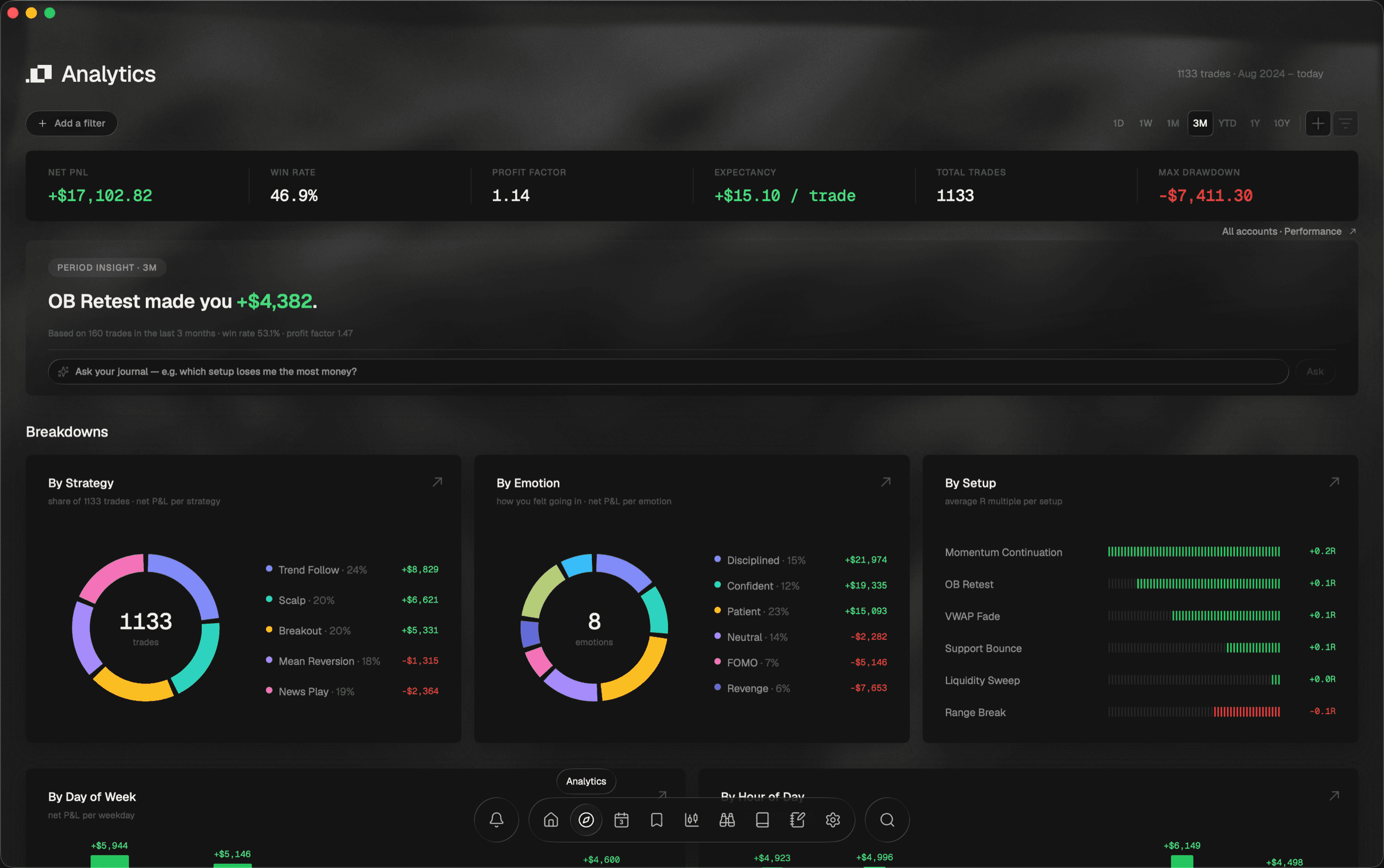
Analytics
Six numbers, then every angle underneath
Net P&L, win rate, profit factor, expectancy, total trades and max drawdown at the top. Below them, the same period by strategy, by emotion, by setup, by day and by hour — and every breakdown card opens into a page of its own.
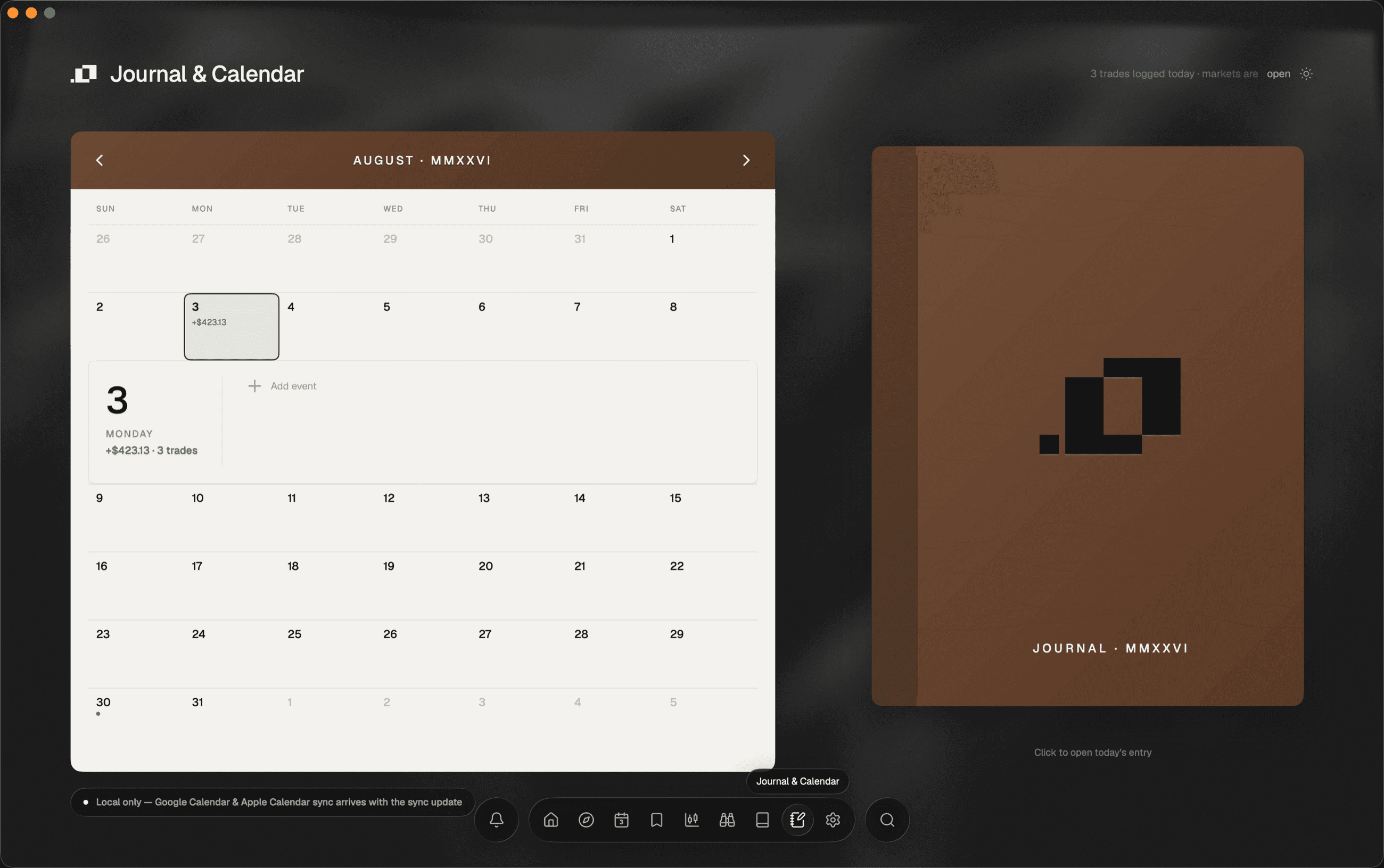
Journal
The only light surface in the app, on purpose
A cream month with the day's P&L on every square. Click one and the entry opens inside the calendar — your note, your mood, and the number it explains, in the same place.
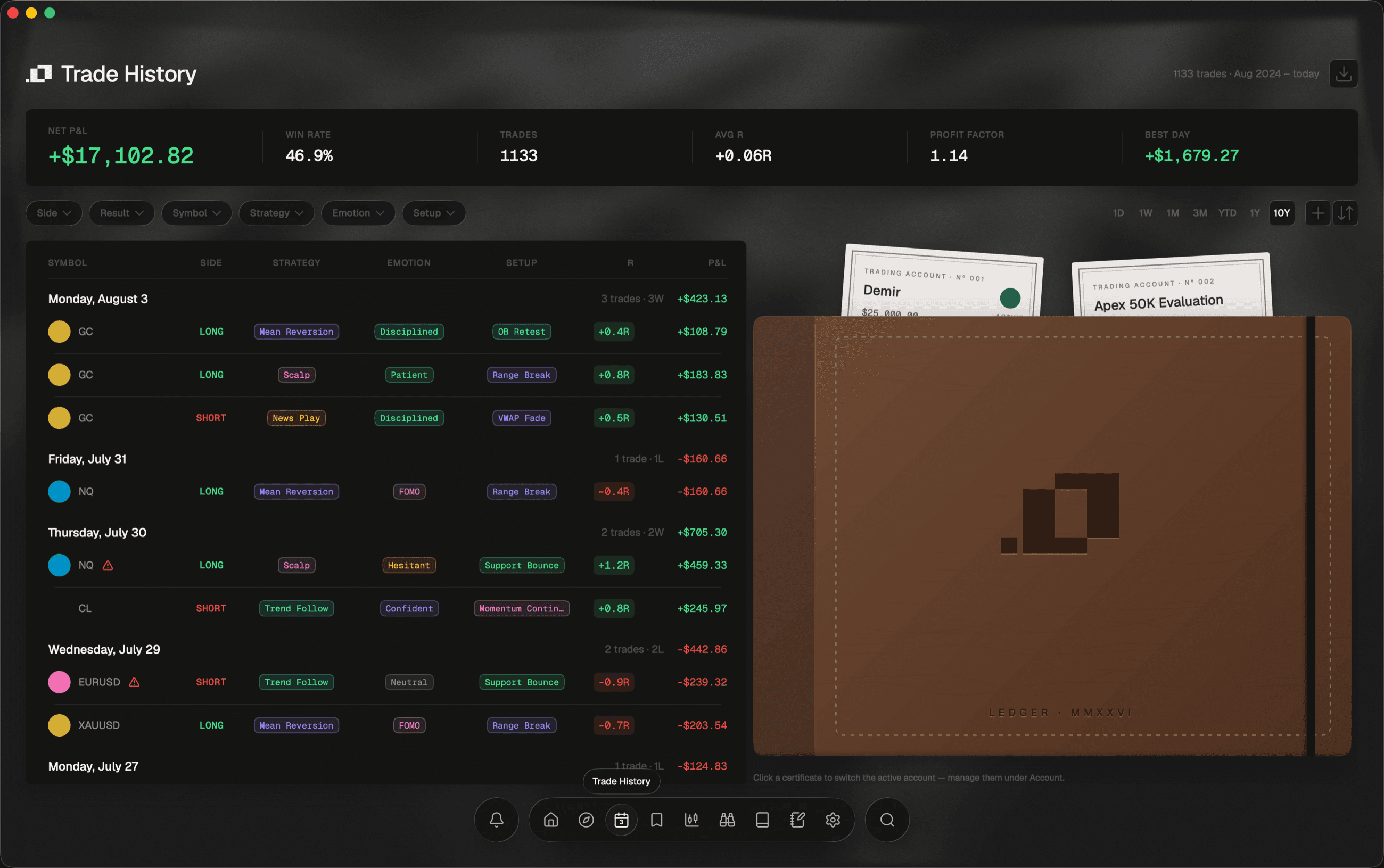
Trade history
Every trade under the day it belongs to
Not a flat table. Trades sit under the session you actually lived, each one carrying the strategy, the emotion and the setup you tagged it with — which is what makes the breakdowns above possible, and what makes them yours rather than generic.
Ordo for iPhone
Your journal, in your pocket
A companion app that syncs with the desktop over your own local network. These are real captures of a real build — but it is further out than the desktop app, it is not for sale, and no plan on this site includes it yet.
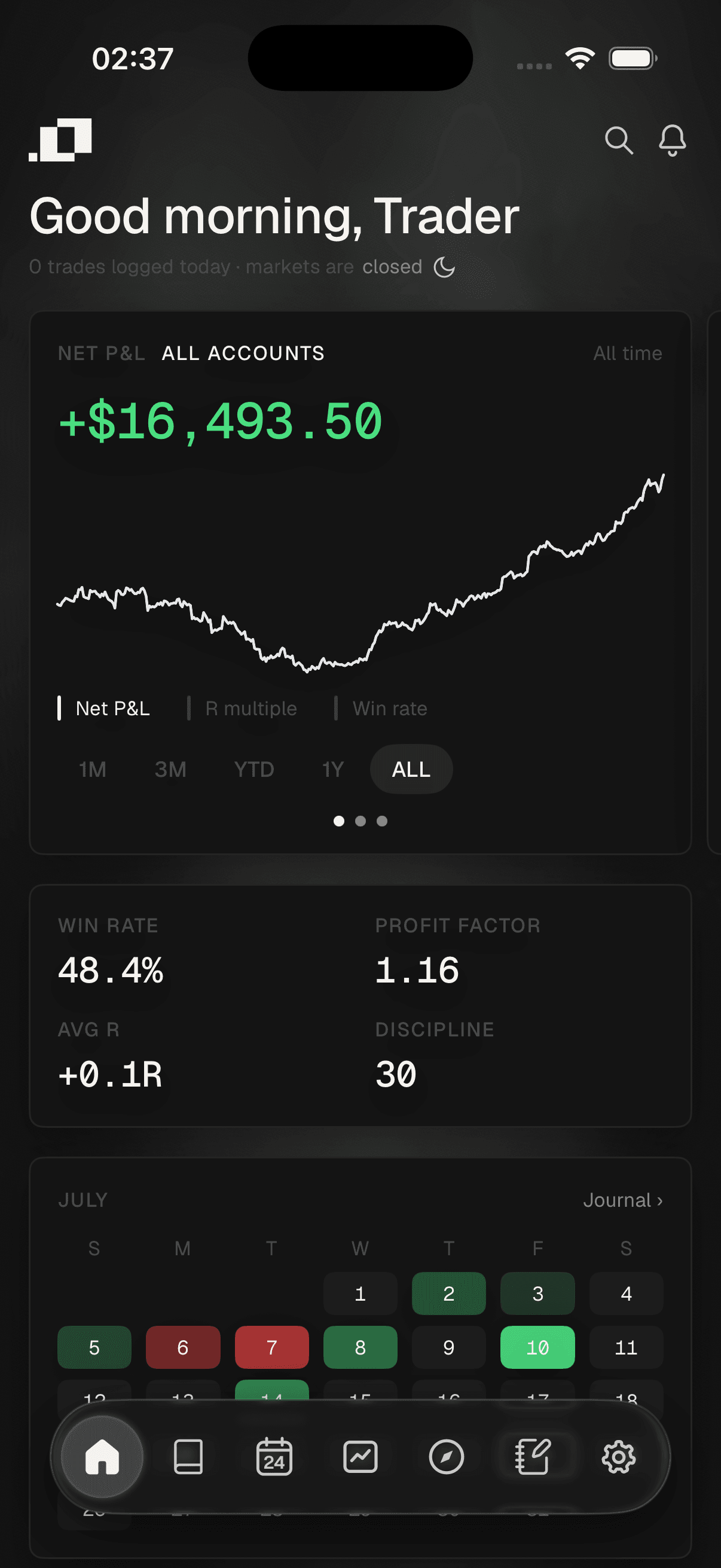
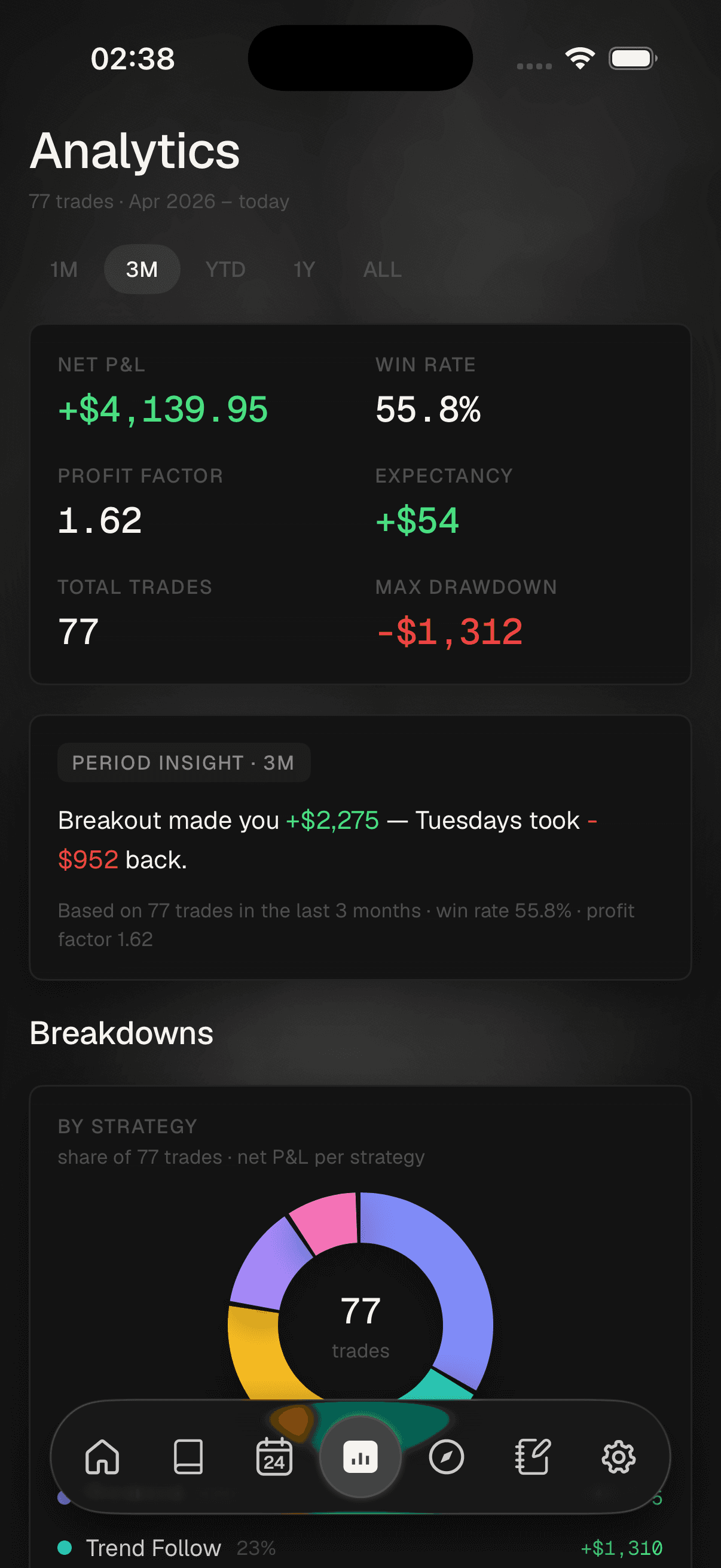
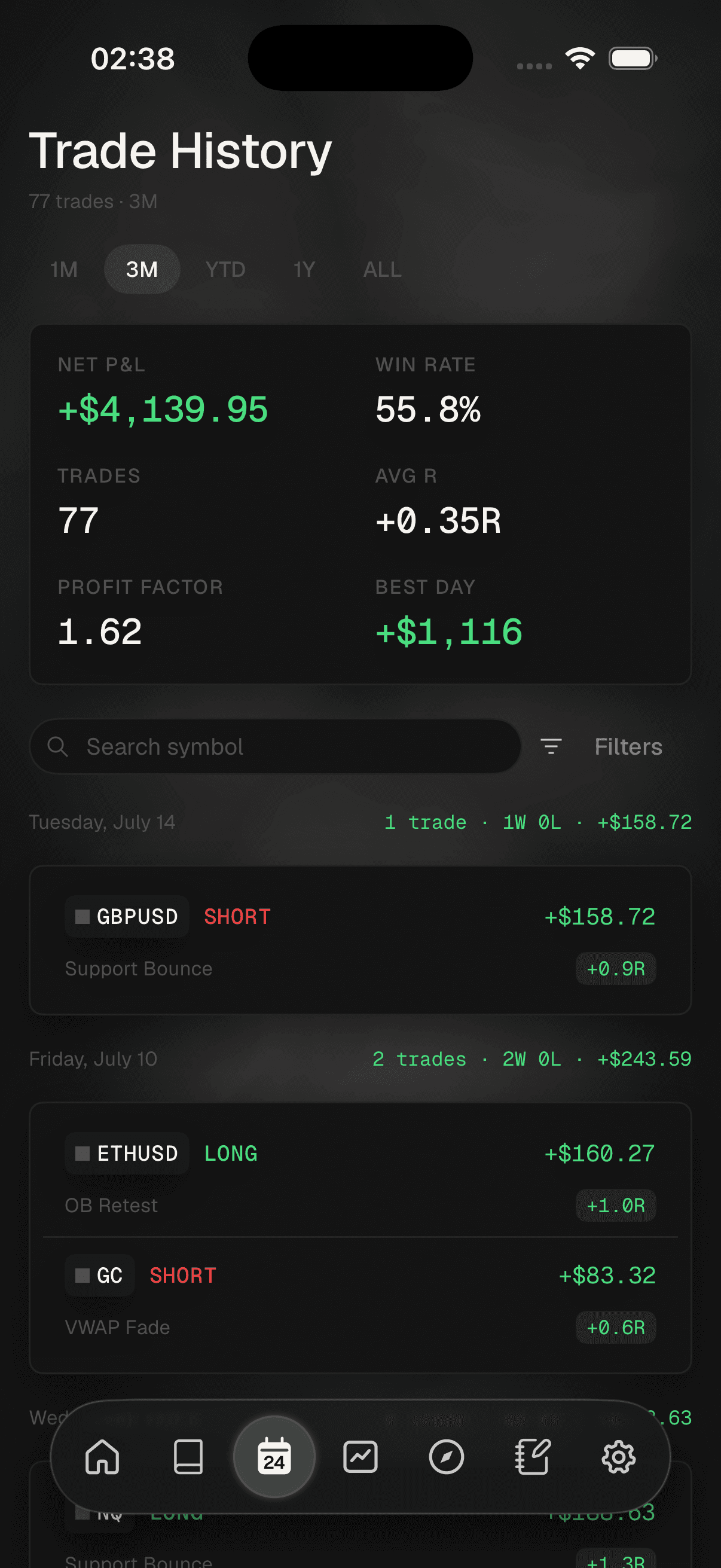
Desktop screens are from the current build. The iPhone screens are from the app in development, which is not on sale. The figures in all of them are a demo journal, not a real account.
Built for the desk
Nine screens, one at a time, with the same dock you’ll use inside Ordo. It is the closest thing to using the app that exists today.
Take the page-by-page tourReady when you are
Pick a plan and the account is yours. The installer follows, and we email you the day it does — your seven free days start at checkout, not at launch.